
A website AI chatbot trained on your pages, docs and FAQs that answers with source citations and captures leads.
WidgIq
An embeddable AI support widget that answers visitor questions from your own content and routes the rest to a contact form.
Visit Official Website
https://widgiq.com
What It Does
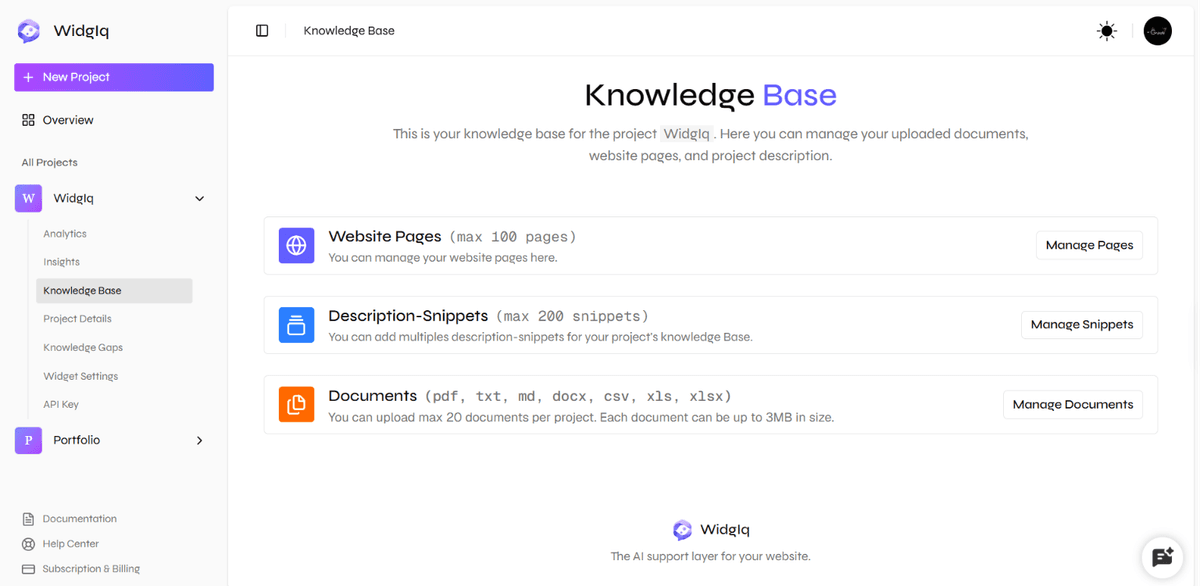
WidgIq is a customer-support widget you add to a site with one script tag. The assistant answers from your actual content — a knowledge base built by crawling your site, writing description snippets, or uploading documents, mixed as you like and updated later — and anything it cannot resolve is routed into a structured contact form, with the button appearing inside the chat the moment the assistant suggests reaching out, so an unanswered question becomes an enquiry instead of an exit.
The dashboard is where the product is managed: widget color, font, placement, visibility and style without a developer; analytics on conversations; and thumbs up/down feedback on every AI reply so you can see which answers fell short and fix the source from the same screen. Responses stream token by token, and the site describes an underlying RAG pipeline over the approved content.
Embedding is deliberately minimal — a single JS file with no npm install, build step or framework requirement — and pricing is credit-based rather than subscription: you pick a plan, buy credits, top up when they run low, and pay only for what you use.
Key Features
- Installs with one script tag — no npm, build step or framework
- Answers from your own crawled site, written snippets or uploaded documents
- Unanswered questions surface a contact-form button inside the chat
- Thumbs up/down on every reply with an analytics dashboard
- Deep widget customization without a developer
- Streaming responses and a RAG pipeline over approved content
Who It Is For
Small business and indie product sites that want first-line answers on their own content without hiring support or taking on a monthly chatbot subscription.
Key Use Cases
Answering routine product questions on a marketing site; turning questions the AI cannot resolve into contact-form leads; reviewing which answers failed and fixing the knowledge base; adding support to a site that can only load a script tag.
Pricing and Access
Pricing
One-time purchase
Plans
| Plan | Price | Billing | Notes |
|---|---|---|---|
| Starter | $20 | one-time | Credit pack; no subscription |
| Pro | $100 | one-time | Credit pack |
| Scale | $500 | one-time | Credit pack |
Plan details are shown as published; taxes and regional pricing may differ.
Access
Free to try before committing. There is no monthly or annual subscription: you choose a plan, buy credits, top up at any time, and pay only for what you use. Pricing tiers are listed on the site's pricing page.
Pricing and availability last checked: Oct 24, 2026 · Source: official website
Privacy and Data Handling
Strengths and Limitations
Strengths
The fallback to a contact form means a failed answer still produces a lead, and the credit model avoids a recurring subscription for low-traffic sites.
Limitations
Value depends on buying enough credits for your traffic, and the assistant is limited to the content you feed it.
Common Questions
Is there a free trial?
Yes. WidgIq is free to try before you commit, and there is no monthly or annual subscription — you buy credits and pay only for what you use.
How is it billed?
It uses one-time credit packs that you top up at any time, rather than a recurring subscription.
What happens when the AI cannot answer?
A missed answer routes to a contact form, so the question still becomes an inquiry instead of a dead end.
Who is it for?
Small business and indie product sites that want first-line answers from their own content without hiring support or taking on a monthly chatbot subscription.
Answers are editor-written from verified product details; last checked Oct 23, 2026.
Related Products

A personal AI that keeps one memory across your work and home life and carries on acting while you are away.

An AI creative studio that turns a prompt, a photo or a product into videos, images, voiceovers and ads.