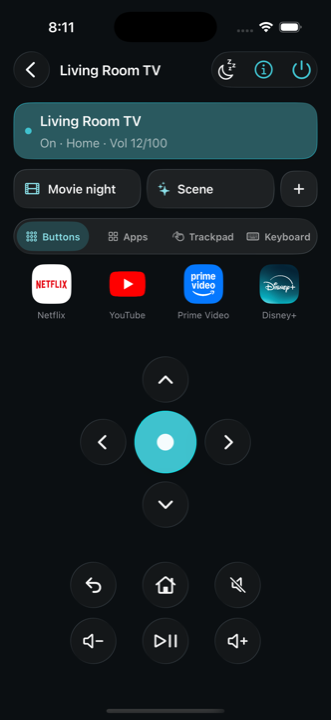
A phone remote for Android TV, Google TV and Roku that talks to the TV over your own Wi-Fi, turns it on, and keeps working without an account.
A free browser stem splitter that separates a song into six parts and turns the player into a practice room, with the audio never leaving the device.
https://stemsplitterlab.com

Showing the product's mark because a screenshot isn't available yet. Own this product? Suggest a screenshot.
StemSplitterLab is a practice tool disguised as a file converter. Open a song you already own and it separates into six stems — vocals, drums, bass, guitar, piano and other — each with its own fader, mute and solo. Mute the part you play and the rest becomes a backing track; the remover pages are the same split with a different stem muted by default.
The player is where it goes beyond splitting. Set an A-B loop around the bar you keep missing, slow it down without changing the pitch, shift the key without changing the speed, add a metronome or count-in once the drums are gone, and let the speed trainer raise the tempo after clean passes. Markers for verse, chorus and bridge make sections one click away. A mix or a single stem exports as WAV, and the mix can also go out as MP3.
The engineering choice is local processing. The audio is decoded in the browser and kept in that browser's storage, so the song is not uploaded and there is no account to attach it to; the first split downloads a separation file of about 136 MB once and later songs reuse it. Splitting, the practice tools and export are free. The site is candid about quality — vocals, drums and bass separate cleanest, distorted guitar and piano under pads are harder, and a printed reverb can leave a tail — and supports files up to 20 minutes.
Musicians, singers and music students who want to practice against their own recordings without sending files to a server.
Removing a vocal to sing over the backing track; muting the guitar or piano part while practicing; looping a difficult bar and slowing it down; changing the key before a rehearsal; exporting a drumless mix or a single stem.
Free
Free, with no account. The first split downloads a separation file of about 136 MB that later songs reuse; local files are kept in the browser's library until deleted. Files open as mp3, wav, flac, m4a or mp4, up to 20 minutes long.
Pricing and availability last checked: Oct 22, 2026 · Source: official website
The privacy page states that audio is decoded on the device, kept in browser storage so the library can reopen it, and never uploaded; deleting a song removes the local copy, and clearing site data removes the library. The separation model is a standalone file download that does not include the audio.
Local processing means a musician can use an unreleased recording without uploading it, and the practice features are built into the same player as the split.
Separation quality depends on the mix, the first visit downloads a 136 MB model, and only browsers with enough memory can handle long files.
A phone remote for Android TV, Google TV and Roku that talks to the TV over your own Wi-Fi, turns it on, and keeps working without an account.

A small development studio building SaaS products, MVPs and web apps on SvelteKit, with a public portfolio of eight shipped projects.

A product studio building AI systems, data platforms and enterprise software with founders since 2015.

More than a hundred free browser tools — calculators, converters, study games and text utilities — with no signup.