
Syncs your whole X bookmark history into a searchable workspace with AI folders, an offline archive and export.
A native Mac menu bar and notch monitor for CPU, memory, storage, network and battery, with 30 days of local history.
https://tempoformac.com
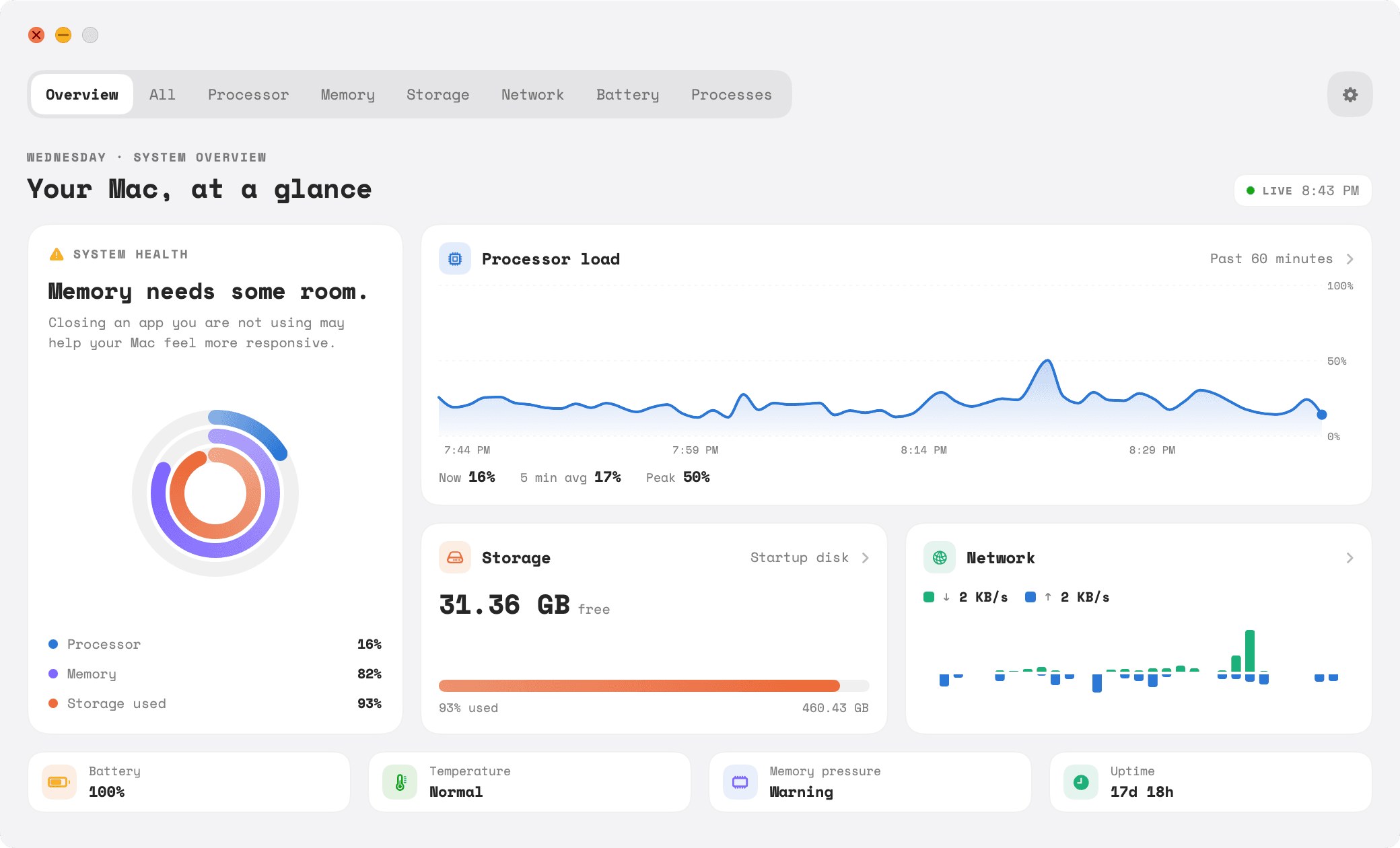
Tempo is a system monitor that lives where you already look. Up to four vitals — CPU, memory, storage, network, battery, thermal state or display — sit in the menu bar in the order you choose, as icons, live values, or both, either combined into one compact item or split into separate ones. Clicking any of them opens full live charts.
On a MacBook, Tempo 1.3 adds a notch island: live CPU and download speed on either side of the notch, which opens into rings for every vital when you hover over it and tucks back in when you move away. The island is designed not to interfere — clicks pass through to the menu bar, it never takes focus, it steps aside in full screen when you are presenting, and Macs without a notch or an external display get a drawn island instead.
It is native and lightweight, quoted at around 2% CPU and 40 MB of memory, runs on Apple silicon and Intel and requires macOS 14 or later. History is kept for 30 days on your machine, and the site states that metrics never leave the Mac. Pricing is a one-time purchase, with earlier Macs paying less.
Mac users who want live system vitals visible without opening Activity Monitor, including on MacBook notches.
Watching CPU or memory pressure while rendering or compiling; spotting what is draining battery; checking network throughput at a glance; diagnosing a slow Mac using the linked guides.
One-time purchase
| Plan | Price | Billing | Notes |
|---|---|---|---|
| Launch | $4.99 | one-time | Intro tier; rises as tiers sell |
| Early | $9.99 | one-time | — |
| Standard | $14.99 | one-time | Older Macs pay less |
Plan details are shown as published; taxes and regional pricing may differ.
A one-time purchase of $4.99, with a discounted tier for older Macs and 20 units noted at the launch price. Requires macOS 14 or later, and works on both Apple silicon and Intel.
Pricing and availability last checked: Oct 24, 2026 · Source: official website
The site states that metrics never leave your Mac and that the 30 days of history is private, held locally rather than synced.
The notch integration is a genuine Mac-specific touch, and the app documents its own overhead rather than just claiming to be lightweight.
Mac only and requires macOS 14 or later; the launch price applies to a limited number of licenses.
Syncs your whole X bookmark history into a searchable workspace with AI folders, an offline archive and export.
A developing Mac ecosystem where living spaces, ambient sound, focus tools, system care and tiny utilities share one world.

An indie Android studio publishing three local-first apps: FocusBottle, LittleStory and PocketBill.

A desktop Chrome extension that controls YouTube captions automatically and detects burned-in subtitles to avoid duplicates.