
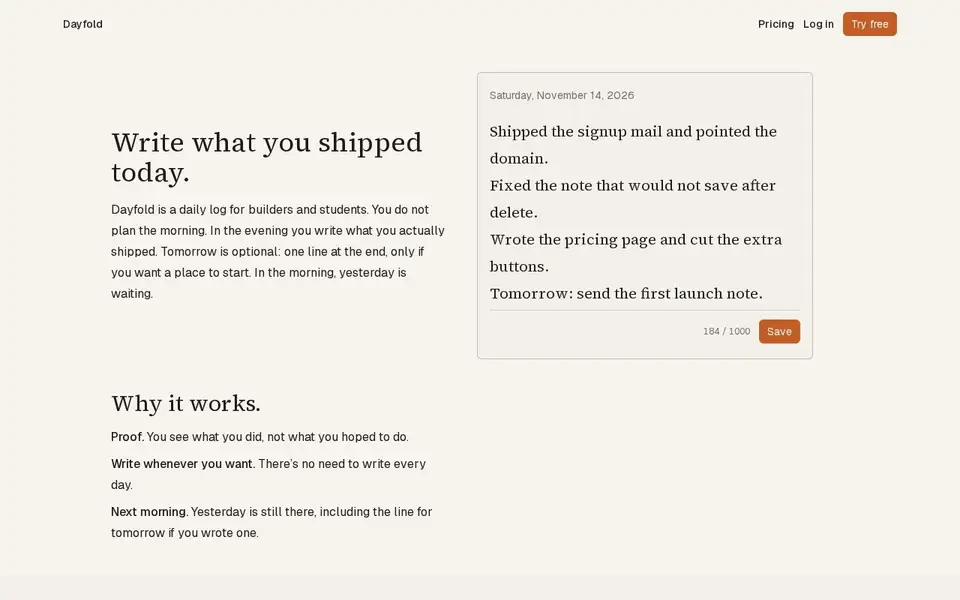
A one-note-a-day ship log for builders: write what you actually shipped each evening, with a 14-note free history and a $4 full-history plan.
For Builders and students who want a private, honest record of daily progress rather than a to-do list.
Your iPhone, iPad or Apple Watch becomes a trackpad, keyboard, haptic jog dial and presenter remote for your Mac — Wi-Fi, USB or encrypted relay.
https://thumbdial.alikemalakpinar.com
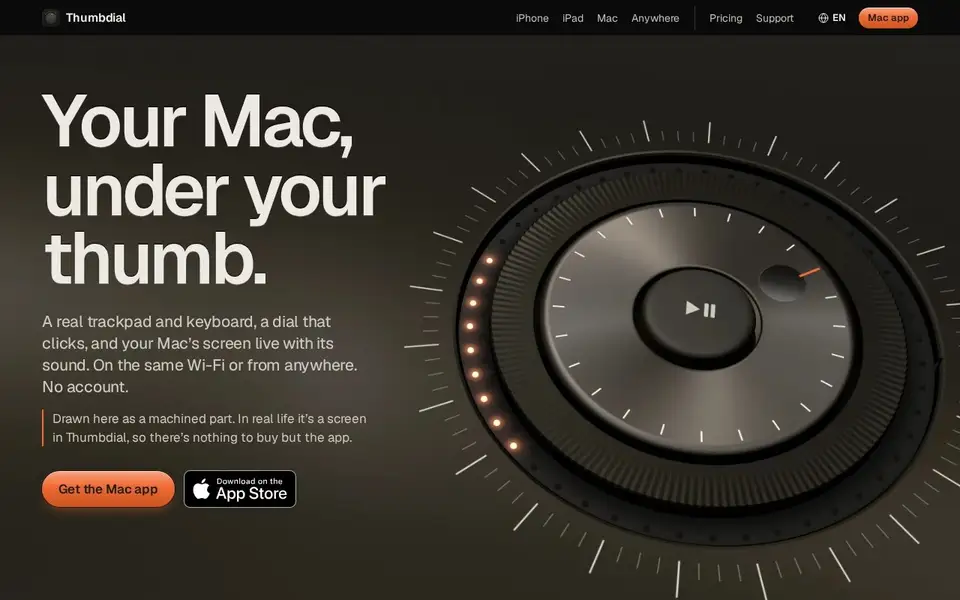
Thumbdial turns an iPhone, iPad, Apple Watch or another Mac into a remote control for your Mac: a full-screen trackpad with macOS pointer acceleration, momentum and multi-finger gestures; an on-screen keyboard with modifier keys and Key Decks (numpad, F-keys, snippets); a haptic jog dial with a 48-LED ring for scrubbing video; a live HEVC screen viewer with Mac audio at up to 120 fps; and a presenter mode with notes, slide previews and laser pointer.
It connects over the same Wi-Fi, over USB, or from anywhere through an encrypted relay that 'passes them on without being able to read them and keeps no copy'; a Mac companion app (Thumbdial Agent) is required. Extra modes include Second Display with Apple Pencil, Mac-to-Mac control, an Apple Watch clicker, a Privacy Curtain that locks the Mac behind a clock face, and a Toolbox of '85+ Mac tools' such as scan-to-PDF and video compression.
Pricing, verified on the page (US App Store, prices vary by country): free for one Mac on the same Wi-Fi or over USB; Pro at $49.99/year ('That's $4.17 a month, billed yearly', 3-day free trial), $7.99/month or $3.99/week; and a Day Pass that unlocks Pro for 24 hours at $1.99 without renewing. One purchase covers iPhone, iPad, Mac and Apple Watch; Apple handles payments.
Limits: Apple silicon (M1+) Macs on macOS 26+ and devices on iOS/iPadOS/watchOS 26+; the free tier is one Mac on the same Wi-Fi or over USB; relay use is fair-use capped (4 Mbit/s, dropping to 2 Mbit/s after 60 GB in a month) while direct, same-network, cable and Tailscale paths are not. The page contradicts itself on jog-wheel detents ('32 detents per turn' in the headline versus '24 per turn' in the spec table) — recorded as-is and flagged.
Privacy: no account, no ads, no analytics or tracking SDKs (GDPR + KVKK policy); content between devices is end-to-end encrypted with the pairing key.
Mac users who present, edit video or control their Mac remotely — from the couch, the stage or another city.
Freemium
| Plan | Price | Billing | Notes |
|---|---|---|---|
| Free | $0 | free | One Mac on the same Wi-Fi or over USB; no account. |
| Pro | $49.99 | per year | 'That's $4.17 a month, billed yearly'; 3-day free trial; also $7.99/month or $3.99/week; one purchase covers iPhone, iPad, Mac and Apple Watch; Apple billing; US App Store prices, vary by country. |
| Day Pass | $1.99 | one-time | Unlocks Pro for 24 hours; does not renew. |
Plan details are shown as published; taxes and regional pricing may differ.
Requires Apple silicon Mac (M1+) on macOS 26+, devices on OS 26+, and the Thumbdial Agent companion app. Free tier: one Mac on the same Wi-Fi or over USB. Distributed on the App Store (id 6828347589); languages: English, Turkish, Japanese, German, French.
Pricing and availability last checked: Nov 13, 2026 · Source: official website
GDPR + KVKK policy. 'Thumbdial needs no account and contains no ads, analytics or tracking SDKs.' Device content encrypted with the pairing key (TLS); relay 'passes them on without being able to read them and keeps no copy'; processes IPs (never in relay logs), pairing-derived room ID, notification tokens, App Store transaction data. Controller: Ali Kemal Akpınar, individual developer, Türkiye. Apple handles payments. Optional Tailscale support. Relay fair-use: 4 Mbit/s per paired Mac, 2 Mbit/s after 60 GB in a month.
The haptic jog dial plus 120 fps live view make it genuinely useful for video editing rather than just mouse mirroring, and the privacy posture (no account, no analytics, zero-knowledge relay) is unusually clean.
Requires Apple silicon Macs on macOS 26+ and OS-26 devices; free tier limited to one Mac on the same Wi-Fi or over USB; relay use is bandwidth-capped by fair use; the site states 32 detents per turn in the headline and 24 in the spec table; pairing codes expire after five minutes.
Yes: same Wi-Fi, USB, or anywhere through an encrypted relay; relay use is fair-use capped while direct and Tailscale paths are not.
No. 'Thumbdial needs no account and contains no ads, analytics or tracking SDKs.'
$49.99 a year (about $4.17 a month), $7.99 a month or $3.99 a week, plus a $1.99 Day Pass for 24 hours; one purchase covers all your Apple devices.
Answers are editor-written from verified product details; last checked Nov 14, 2026.
A one-note-a-day ship log for builders: write what you actually shipped each evening, with a 14-note free history and a $4 full-history plan.
For Builders and students who want a private, honest record of daily progress rather than a to-do list.

Browser dictation with no account, plus uploaded audio/video transcription with speakers, AI cleanup and exports. Free tier; paid from $5.
For People transcribing podcasts, interviews and meetings, and anyone who wants voice typing in the browser without an account.
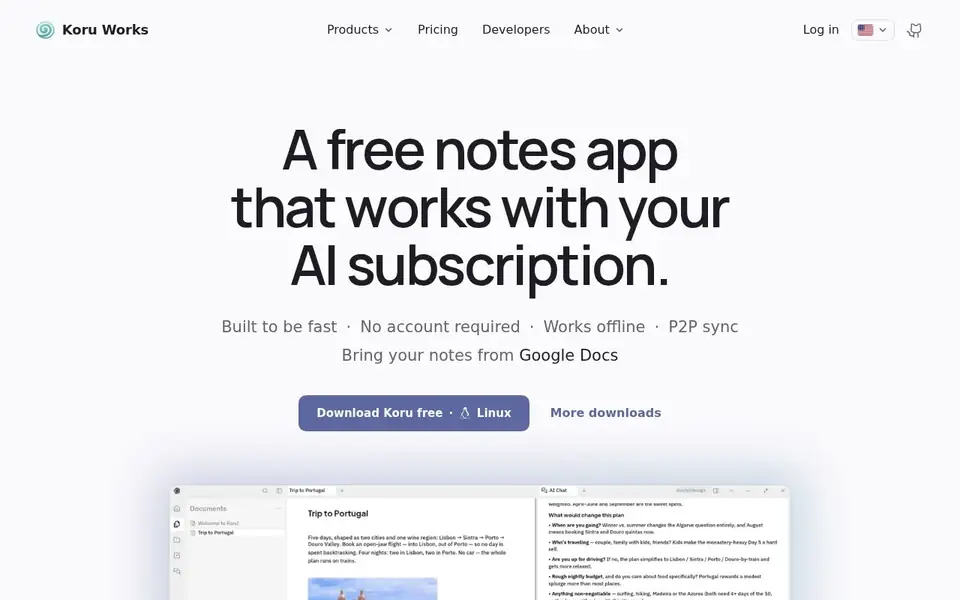
A free offline-first workspace where notes, files and AI bots work on your device in a local database, syncing peer to peer.
For People who want notes, files and AI assistance without their data leaving the device, on Windows, macOS or Linux, and who may self-host.
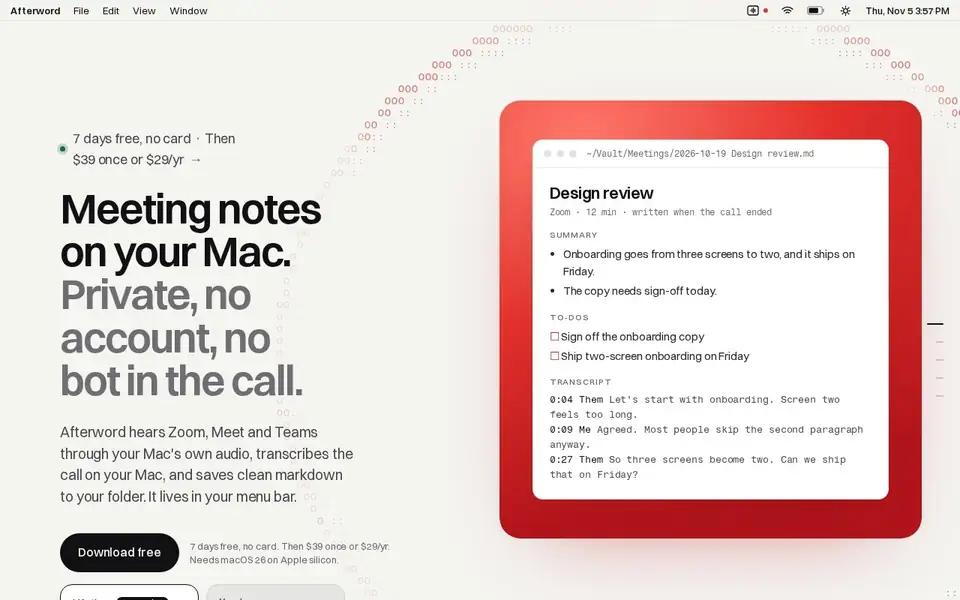
Writes meeting notes for Zoom, Meet and Teams entirely on your Mac, with no bot joining the call, saved as Markdown.
For Mac users who take Zoom, Meet or Teams calls from their laptop and want notes and action items without a recording bot in the meeting.